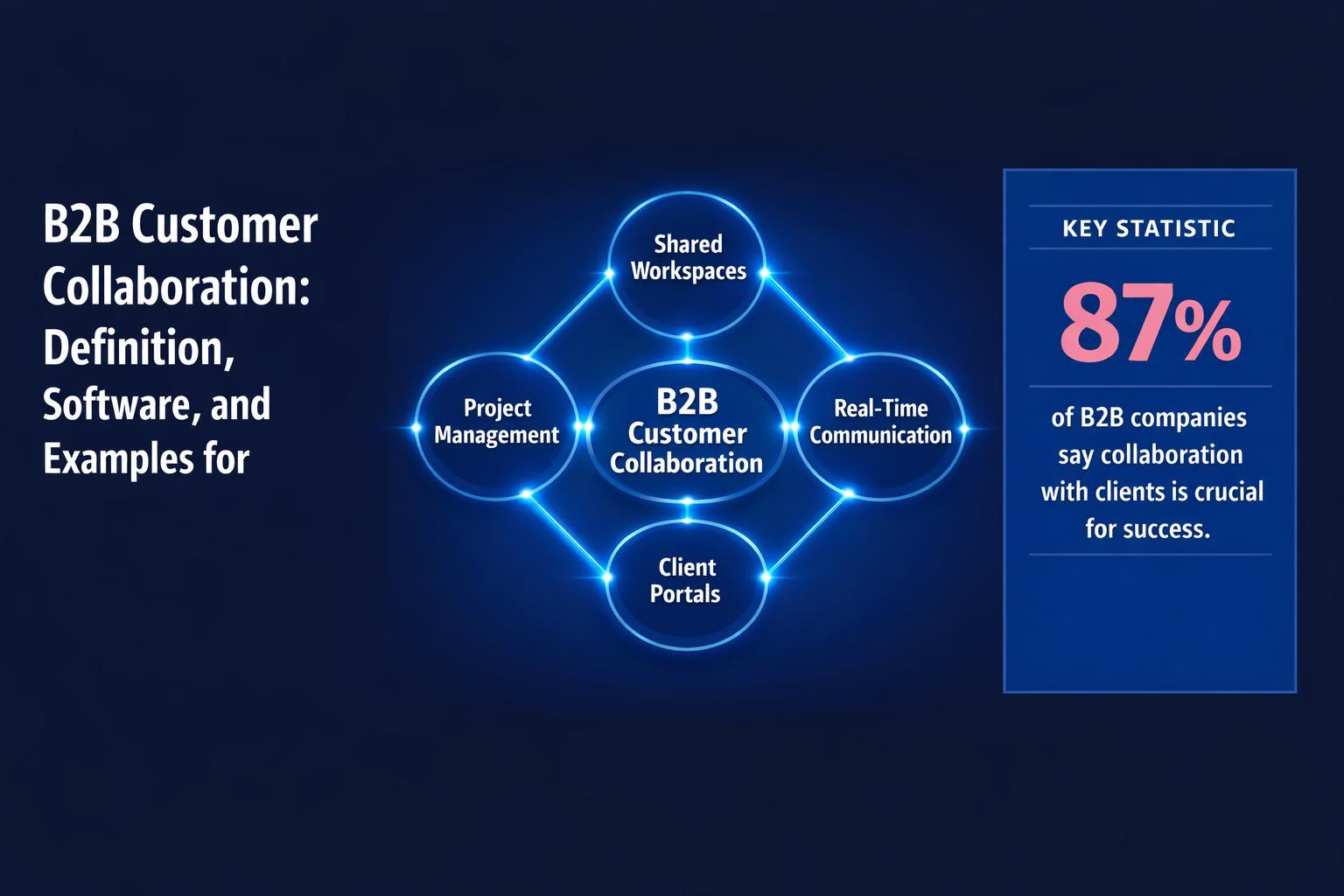
B2B customer collaboration, also called buyer-seller collaboration, is when a selling team and a buying group work from one shared plan, content set and conversation through evaluation, purchase and onboarding. The top software for collaborative B2B selling falls into four categories: digital sales rooms (shared deal workspaces), mutual action plans, shared channels for conversation, and proposal, e-signature and CPQ tools.
By category, the tools compared below are Aligned, Dock, GTM Buddy, Revspire, Seismic (including Highspot) and Trumpet for digital sales rooms; Accord for mutual action plans; Microsoft Teams shared channels and Slack Connect for conversation; and DocuSign, GetAccept and PandaDoc for proposals, signature and quotes. Each entry lists its published pricing model, one limitation and when to choose it.
Last updated: 16 October 2026
Disclosure: Revspire publishes this guide. Revspire appears once, in the digital sales room category, and tools are listed alphabetically within each category, not ranked. Prices were checked on each vendor’s own site on 16 October 2026, in USD as displayed.
What is B2B customer collaboration?
In a traditional sale, the seller pitches and the buyer listens, then goes quiet while it decides internally. In a collaborative sale, both sides share the work. They agree the steps to a decision, who owns each one and by when. Every stakeholder sees the same current content, and questions get answered in one place rather than across dozens of email threads.
Three facts explain why this matters in complex B2B deals:
- Buying groups are large. In Forrester’s State of Business Buying 2024 (4 December 2024), an average of 13 people were involved in a purchase decision, and 89% of purchases involved two or more departments.
- Deals stall. The same Forrester release (4 December 2024) reports that 86% of B2B purchases stall during the buying process.
- Buyers do much of the work without the seller. In a Gartner survey of 646 B2B buyers published 9 March 2026, 67% said they prefer a rep-free experience. Collaboration therefore has to work asynchronously, when the seller isn’t in the room.
Analysts treat this as its own software category. Gartner published a Market Guide for Digital Sales Rooms on 24 February 2025. According to SalesHood’s March 2025 release quoting that guide, Gartner predicts that by 2028, 30% of B2B sales cycles will be run primarily through a digital sales room.
Collaborative selling vs customer collaboration
Collaborative selling usually means the selling side working together: AE, sales engineer, deal desk, partner and executive sponsor. B2B customer collaboration extends the same idea across the table to the buying group. The best tools handle both: internal notes and approvals the buyer can’t see, and a shared space the buyer can.
Top software for collaborative B2B selling: comparison table
| Tool | Category | Best for | Pricing model (checked 16 Oct 2026) | Free plan / trial |
|---|---|---|---|---|
| Aligned | Digital sales room | MAPs and stakeholder maps on a budget | Per seat: Basic $29-$35, Pro $49-$60/mo; Enterprise custom | Free Starter plan |
| Dock | Digital sales room + enablement | Starting free; onboarding and order forms | Flat plans: Standard $350/mo (5 users), Premium $1,000/mo annual (10 users) | Free plan |
| GTM Buddy | Digital sales room + revenue activation | Rooms plus in-the-moment seller guidance | Quote-based; no prices published | None listed |
| Revspire | Enablement + digital sales rooms | Multi-stakeholder deals using governed content | Per user: $39.99 / $79.99/mo; Spark custom | None listed (demo) |
| Seismic (incl. Highspot) | Enablement + digital sales rooms | Large enterprises already on Seismic or Highspot | Quote-based | None listed |
| Trumpet | Digital sales room | Free MAPs; e-signature inside the room | Per user: Pro $45, Scale $100, Elite $160/mo | Free plan (10 rooms) |
| Accord | Mutual action plans + deal execution | Methodology-led plans and deal reviews | Per user: $99 / $119/mo plus platform fee; Enterprise custom | None listed |
| Microsoft Teams shared channels | Shared channel | Both companies on Microsoft 365 | Per user: Teams Essentials $4/mo (annual) | One-month free trial |
| Slack Connect | Shared channel | Fast Q&A with buyer teams on Slack | Per user: Pro $7.25, Business+ $15/mo (annual) | Free plan (1:1 external DMs only) |
| DocuSign eSignature | E-signature | A signing standard legal teams accept | Per user: Standard $30, Business Pro $45/mo (annual) | No free plan |
| GetAccept | Sales room + e-signature + CPQ | Room, plan and signature in one tool | Per user: eSign $25, Professional $49/mo; Enterprise custom | Free trial link (length not stated) |
| PandaDoc | Proposals, e-signature, CPQ | Proposal-led deals | Per seat: Starter $19, Business $49/mo (annual) | Free plan; 14-day trial |
Digital sales rooms
A digital sales room is one secure, branded page per deal where buyer and seller share content, next steps, questions and a mutual action plan, and the seller sees who engaged with what. It is the core of most buyer-seller collaboration stacks. For a deeper evaluation of rooms alone, see our digital sales room software guide.
Aligned
A digital sales room focused on buyer collaboration, with mutual action plans and stakeholder maps on every plan.
- Best for: teams that want MAPs and stakeholder mapping at a low per-seat price, with buyers invited free.
- Pricing: Starter is free (up to 4 active rooms per seat). Basic is $29 or $35 per seat per month and Pro $49 or $60; the page has an annual “Save 18%” toggle, so the lower figures appear to be annual. Enterprise is custom. Buyer stakeholders don’t use seats (Aligned pricing).
- Limitation: Starter, Basic and Pro list Salesforce and HubSpot integration as “limited”, and bi-directional sync is on Enterprise only.
- Choose it when: the room and plan are what you need, and AI and deep CRM sync can wait.
Dock
Dock calls itself a revenue enablement platform. It combines sales rooms with content, training, customer onboarding workspaces and order forms.
- Best for: SMB and mid-market teams that want to start free and use the same workspace from deal to onboarding.
- Pricing: Free; Standard $350 per month for 5 users; Premium $1,000 per month billed annually for 10 users; Enterprise custom; extra seats $50 per month. Dock charges only for internal team members, and its AI uses no credits (fair-use limits apply) (Dock pricing).
- Limitation: the Free plan has no Salesforce or HubSpot integration; CRM-integrated order forms and Google Drive or SharePoint sync start on Premium.
- Choose it when: you want a flat team price and a free way to test rooms with real buyers.
GTM Buddy
GTM Buddy positions itself as a “revenue activation” platform. Its digital sales room combines mutual action plans, buyer signals, content and guidance, with persona-specific stakeholder tracks. Its examples include spotting when a stakeholder track goes dark or a new persona joins late, then suggesting a next step.
- Best for: teams that want rooms alongside seller guidance, AI role-play and a CMS from one vendor.
- Pricing: no prices are published; the site offers demos only.
- Limitation: the room’s product page does not describe how it syncs with your CRM, so ask in the demo.
- Choose it when: real-time deal guidance for reps matters as much as the buyer-facing room.
Revspire
Revspire publishes this guide. It is an AI sales enablement platform whose Digital Sales Rooms sit in the same system as its governed Content Hub, AI playbooks and AI sales training.
- Best for: mid-market and enterprise B2B teams with multi-stakeholder deals that want rooms built from governed, current content.
- In a deal: branded buyer and seller rooms, mutual action plans with owners and due dates, buying-committee stakeholder mapping, AI content recommendations by deal stage and stakeholder role, and real-time buyer engagement analytics. Rooms pull assets from Content Hub, so a new version reaches rooms already shared.
- Pricing: Launch Suite $39.99 and Elevate Suite $79.99 per user per month; Spark Suite is custom. Add-ons: e-signer +$15 and CPQ +$25 per user (Revspire pricing).
- Limitation: no free plan or trial is listed, and the pricing page does not say which suite includes mutual action plans and stakeholder mapping, so confirm coverage in a demo.
- Choose it when: you want the room, the content behind it and seller readiness in one platform rather than three tools.
Seismic (including Highspot by Seismic)
Seismic completed its merger with Highspot on 18 August 2026 and operates under the Seismic name, with Highspot now “Highspot by Seismic” (Highspot blog). Both sell digital sales rooms inside a larger enablement platform. Seismic’s buyer engagement page describes AI-powered rooms that capture engagement metrics. Its launch release (12 October 2021) described two-way comments and questions, and rooms that carry on into onboarding and account management.
- Best for: large enterprises that already run Seismic or Highspot for content and want rooms in the same system.
- Pricing: quote-based. Highspot’s Good, Better and Best packages show no prices; Digital Sales Rooms appear from the Good package (Highspot pricing). Seismic’s rooms page shows no pricing.
- Limitation: neither page mentions mutual action plans, so ask how plans and next steps are handled inside a room.
- Choose it when: consolidating on your existing enterprise enablement vendor outweighs adding a specialist room tool.
Trumpet
A digital sales room tool whose rooms are called “Pods”, with live collaboration and mutual action plans on every plan.
- Best for: teams that want free MAPs now and e-signature, proposals and AI inside the room later.
- Pricing: Free (10 Pods per account); Pro $45 per user per month or $450 per user a year (up to 5 users); Scale $100 per user per month or $1,000 a year; Elite $160 per user per month or $1,600 a year, via demo (Trumpet pricing).
- Limitation: e-signature, proposals and most AI features start on Scale, and Pro is capped at 5 users.
- Choose it when: you want the room, the proposal and the signature in one place without a separate e-signature contract.
Note on Recapped: Recapped’s homepage says it is shutting down on 31 July 2026 and not taking new customers. If your rooms or plans still live there, export them and move to another tool in this list.
Mutual action plan and deal execution tools
A mutual action plan (MAP) is the shared timeline from first meeting to signature and go-live: each step, the owner on each side, the date and what “done” means. Most rooms above include MAPs: Aligned and Trumpet on every plan, GetAccept from Professional, and GTM Buddy and Revspire in their rooms. To start without software, use our free mutual action plan template in Excel or Word.
Accord
Accord describes itself as “The AI Layer for Revenue Execution”. It turns methods such as MEDDPICC into playbooks, with mutual action plans that give buyers shared timelines and accountability.
- Best for: scaling and enterprise software teams that want MAPs tied to a sales methodology, execution scoring and deal reviews.
- Pricing: Starter $99 and Growth $119 per user per month, each plus a platform fee; Enterprise custom plus a platform fee. Its FAQ lists bi-directional Salesforce and HubSpot sync (Accord pricing).
- Limitation: the platform fee amount is not published, and no free plan or trial is listed.
- Choose it when: your problem is inconsistent deal execution, not content delivery to buyers.
Shared channels and conversation tools
Shared channels give both companies a live conversation space. They are fast for questions, but they are not a record of the plan, the approved content or who on the buying side is engaged. Many teams use both: a channel for quick questions, and a room for the plan and the content.
Microsoft Teams shared channels
- What it does: lets you invite people from another organisation into a Teams channel through Microsoft Entra B2B direct connect (Microsoft Learn, updated 20 February 2026).
- Pricing: Teams Essentials $4.00 per user per month; Microsoft 365 Business Basic $7.00 and Business Standard with Copilot $23.50, each paid yearly (Microsoft Teams plans).
- Limitation: both organisations must configure cross-tenant access in Microsoft Entra ID, and the plans page doesn’t say which plans support shared channels.
- Choose it when: both companies run Microsoft 365 and IT on both sides will approve the connection.
Slack Connect
- What it does: shared Slack channels and messages between companies, with group external messaging for up to 250 organisations on paid plans.
- Pricing: Pro $7.25 and Business+ $15 per user per month billed annually ($8.75 and $18 monthly); Enterprise+ is listed at $45 when paying annually, via sales (Slack pricing).
- Limitation: on the Free plan, Slack Connect is limited to one-to-one messages with one other organisation.
- Choose it when: the buyer’s team already lives in Slack and you need quick answers during evaluation and onboarding.
Proposals, e-signature and CPQ
These tools turn an agreed scope into a priced quote or proposal, route approvals, and collect a binding signature: the last mile of collaboration, where procurement and legal join.
DocuSign eSignature
- Pricing: Personal $11 per month; Standard $30 and Business Pro $45 per user per month on annual plans billed monthly, with 100 envelopes per user per year; Enhanced is custom (DocuSign plans).
- Limitation: the plans page lists Salesforce integration only under the custom Enhanced plan, and envelopes over the allowance are billed per use.
- Choose it when: legal and procurement want a signing tool most counterparties already know.
GetAccept
- What it does: a sales room with mutual action plans, e-signature and pricing tables in one tool.
- Pricing: eSign $25 and Professional $49 per user per month; Enterprise on request; all plans have a 12-month agreement period (GetAccept pricing).
- Limitation: premium CRM integrations are an add-on on Professional, and full CPQ is on Enterprise. The page states Professional’s user limit inconsistently, so confirm it with sales.
- Choose it when: you want one tool from room to signature and your quotes are simple.
PandaDoc
- Pricing: Free (5 documents a month); Starter $19 and Business $49 per seat per month billed annually; Enterprise custom; 14-day trial on Starter. Business includes up to 3 rooms; Enterprise has unlimited rooms and an optional CPQ add-on (PandaDoc pricing).
- Limitation: CRM integrations on Business need usage credits or a paid add-on, and Salesforce needs a paid add-on.
- Choose it when: the proposal document is the centre of your deal and you sign in the same tool.
Examples of buyer-seller collaboration workflows
These are illustrative examples of how the categories work together. They are not customer case studies.
1. Enterprise new-logo deal with a security review
- After discovery, the AE opens a room with the recap, the agreed problem statement and a draft MAP.
- The champion edits the MAP, adds the security lead and the procurement contact, and sets the decision date.
- The security lead finds the current security pack in the room, and questions go to a shared channel with the sales engineer.
- Engagement analytics show the CFO hasn’t opened the business case, so the AE asks the champion to set up a short review with the CFO.
- The order form and e-signature close the plan. The room becomes the onboarding workspace.
2. Champion-led business case
The seller gives the champion a one-page business case and an editable ROI model in the room, then watches which stakeholders open it after the champion forwards the link. A new viewer from finance is a cue to offer a call. Silence from the economic buyer is a risk to raise early.
3. Procurement and legal redlines
The quote comes from CPQ with discount approvals logged internally. The proposal and MSA go into the room, redlines are tracked in the proposal or signature tool, and the MAP shows legal’s owner and target date on both sides, so nobody can be surprised at quarter end.
4. Co-selling with a partner
A reseller, the vendor and the buyer share one room. The partner owns implementation steps in the MAP, while the vendor owns product and security material. Internal notes stay hidden from the buyer and the partner, and engagement is visible to both selling teams.
5. Internal deal-team collaboration
Sales, presales, deal desk and legal work in the internal side of the same deal: who builds the demo environment, who approves the non-standard term, who joins the executive call. A stakeholder map of the buying committee keeps everyone multithreaded on the right people.
6. Sales-to-onboarding handoff
At signature, the MAP becomes a success plan with 30-, 60- and 90-day outcomes. The customer success manager joins the existing room and channel, so the buyer doesn’t have to re-explain why they bought.
How to choose buyer-seller collaboration software
- Will buyers actually use it? Flowla’s State of Digital Sales Rooms 2026 (17 February 2026), based on 30,000+ rooms in its own product, found that about 48% of rooms never got any engagement. In its practitioner survey, about 60% of respondents named reps not keeping rooms updated as the top problem. It is vendor data, but the lesson holds: pick the tool your reps will keep current, and test it with real buyers in a pilot.
- Where does the content come from? If rooms are built from a governed library, an updated deck reaches every open room. If reps upload files, old versions circulate.
- Who pays for seats? Dock charges only internal users, and Aligned’s buyer stakeholders don’t use seats. Confirm the same for partners.
- What syncs to the CRM, and on which plan? Several vendors put CRM sync on higher tiers (Aligned, Dock, PandaDoc, GetAccept).
- Is AI included or metered? Dock says its AI uses no credits; PandaDoc says some integrations need usage credits or a paid add-on.
- Which tool can it replace? A room with built-in e-signature or a MAP can remove a contract; an enablement platform with rooms can remove a content tool.
- Security and permissions: per-section access, link expiry, SSO and audit trails matter more as deal size grows. SCIM provisioning and enterprise SSO often sit on the top tier (Aligned, Dock, Trumpet).
Frequently asked questions
What is B2B customer collaboration?
B2B customer collaboration is a selling team and a buying group working from one shared plan, set of content and conversation through evaluation, purchase and onboarding. In practice it means a digital sales room or shared workspace, a mutual action plan with owners on both sides, and a channel for questions.
What are the top tools for buyer-seller collaboration?
By category: digital sales rooms (Aligned, Dock, GTM Buddy, Revspire, Seismic including Highspot, Trumpet), mutual action plans (Accord, or the MAPs built into most rooms), shared channels (Microsoft Teams shared channels, Slack Connect), and proposals and e-signature (DocuSign, GetAccept, PandaDoc). Most B2B teams need a room plus e-signature; large buying groups add a channel.
What is the difference between Slack Connect and a digital sales room?
Slack Connect is a shared chat channel: fast for questions, but messages scroll away and you can’t see which buyer stakeholders engaged with which content. A digital sales room holds the plan, the approved content and engagement analytics for one deal. Many teams use the room as the record and the channel for quick conversation.
What are examples of collaborative selling?
Common examples include co-writing a mutual action plan with the champion, and sharing a business case the champion forwards to finance. Others are running a security review in a shared room, co-selling with a partner in one workspace, and handing the deal room to customer success as the onboarding plan.
How much does digital sales room software cost?
Published prices on 16 October 2026 ranged from free plans (Aligned, Dock, Trumpet) to $29-$160 per user per month for per-seat tools, or $350 a month for Dock’s 5-user Standard plan. Enterprise suites such as Seismic and GTM Buddy are quote-based. Check what each tier includes for CRM sync, AI and SSO.
How we chose these tools
We grouped tools by the collaboration job they do in a B2B deal and included vendors that publish product pages for buyer-facing rooms, mutual action plans, shared channels or e-signature. Prices were read from each vendor’s own pricing page on 16 October 2026, in USD before tax or discounts; where no price is published we say quote-based. Where a page shows two prices without labelling the billing period, we say so. We used no user reviews or ratings, and we did not test the products hands-on.
See how Revspire connects governed content, mutual action plans and buyer engagement in one deal room: book a Revspire demo.
Sources
All pages were accessed on 16 October 2026. Publication dates are shown where the page gives one.
- Forrester: To Master B2B Buying Mayhem, Providers Must Prioritize Buyers’ Needs (The State of Business Buying, 2024), Forrester, 4 December 2024. Accessed 16 October 2026.
- Gartner Sales Survey Finds 67% of B2B Buyers Prefer a Rep-Free Experience, Gartner, 9 March 2026. Accessed 16 October 2026.
- Market Guide for Digital Sales Rooms (abstract), Gartner, 24 February 2025. Accessed 16 October 2026.
- SalesHood Recognized in the 2025 Gartner Market Guide for Digital Sales Rooms, SalesHood, March 2025. Accessed 16 October 2026.
- State of Digital Sales Rooms in 2026, Flowla (vendor data), 17 February 2026, updated 2 April 2026. Accessed 16 October 2026.
- Aligned: pricing, Aligned, current page. Accessed 16 October 2026.
- Dock: pricing, Dock, current page. Accessed 16 October 2026.
- GTM Buddy: homepage and Digital Sales Room, GTM Buddy, current pages. Accessed 16 October 2026.
- Revspire: pricing, Revspire, current page. Accessed 16 October 2026.
- Seismic completes Highspot merger, Highspot, 18 August 2026. Accessed 16 October 2026.
- Highspot by Seismic: pricing, Highspot, current page. Accessed 16 October 2026.
- Seismic: buyer engagement and Digital Sales Rooms, Seismic, current page. Accessed 16 October 2026.
- Seismic Fall 2021 Release launches Digital Sales Rooms, Business Wire, 12 October 2021. Accessed 16 October 2026.
- Trumpet: pricing, Trumpet, current page. Accessed 16 October 2026.
- Recapped: homepage (shutdown notice), Recapped, current page. Accessed 16 October 2026.
- Accord: pricing, Accord, current page. Accessed 16 October 2026.
- Shared channels in Microsoft Teams, Microsoft Learn, updated 20 February 2026. Accessed 16 October 2026.
- Compare Microsoft Teams business options, Microsoft, current page. Accessed 16 October 2026.
- Slack: pricing, Slack, current page. Accessed 16 October 2026.
- DocuSign eSignature: plans and pricing, DocuSign, current page. Accessed 16 October 2026.
- GetAccept: pricing, GetAccept, current page. Accessed 16 October 2026.
- PandaDoc: pricing, PandaDoc, current page. Accessed 16 October 2026.
Leave a Reply